
Rhythm maker
Random bars will not teach you the piece on your music stand. This is where you write its rhythm out, bar by bar, and hand it to the Rhythm mode to be drilled.
You will find it under Tools › Rhythm maker on the home screen.
My rhythms
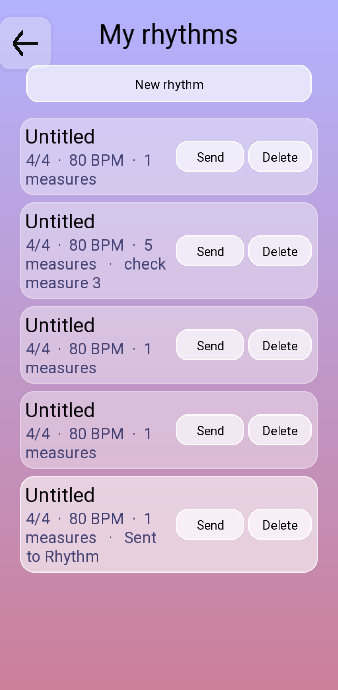
Tap a rhythm to open it, Send to load it straight into the Rhythm mode, Delete to remove it. Two labels are worth knowing:
- check measure 3 — that bar does not add up. Either it is short of a full bar or it holds more than the time signature allows, and the app will not let you practise it until it does.
- Sent to Rhythm — this is the piece currently loaded in the Rhythm mode.
The editor
 1
2
3
4
5
6
7
8
9
1
2
3
4
5
6
7
8
9
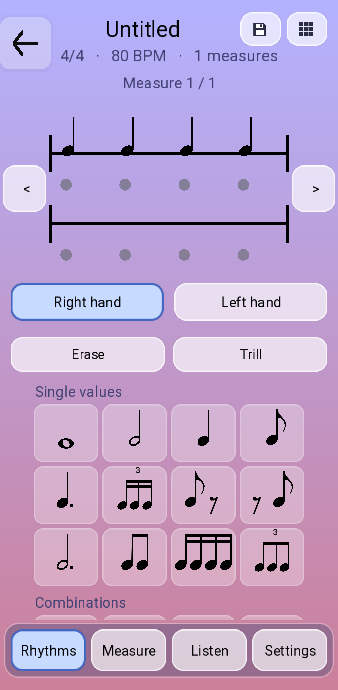
- The name of the piece and its vital statistics. Tap the name to rename it. The bar counter below turns red whenever the bar you are on does not add up.
- Save. Leaving without saving prompts you once — press back again to leave.
- All measures: a thumbnail of the whole piece, page by page, to jump around a long one.
- The right-hand stave.
- The left-hand stave.
- Previous and next bar.
- Which hand you are writing into. Everything you tap in the palette lands on the selected one.
- The palette: Single values first, then Combinations and Rests further down. Tap a figure to append it to the current bar.
- The four tabs. The staves stay put; only this bottom half changes.
The four tabs
| Tab | What it holds |
|---|---|
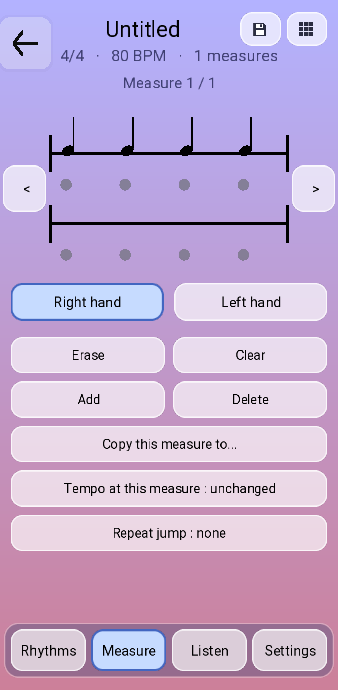
| Rhythms | The palette of figures, plus Erase to remove the last one and Trill to turn the selected note into a hammered one. |
| Measure | Bar-level surgery: Add and Delete bars, Clear the current one, copy it somewhere else, change the tempo at this measure so a piece can slow down mid-way, and set a repeat jump — go back to bar 5, do it three times, then carry on from bar 12. |
| Listen | Play the current bar, or the whole piece, with the metronome on or off. Editing is locked while playback runs. |
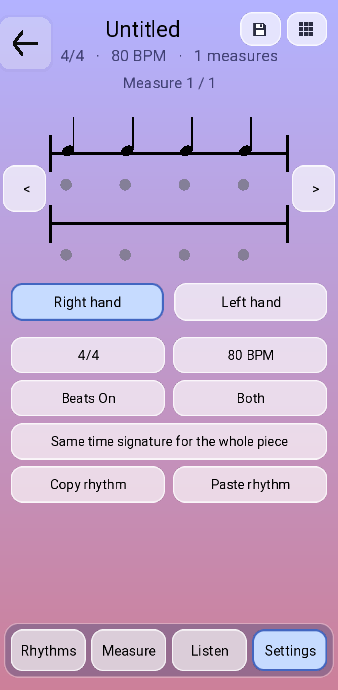
| Settings | Time signature and base tempo, whether the beat dots are shown, how the other hand is drawn while you work on this one — Both, Faded or Hidden — and copy and paste for the whole rhythm. |
Writing a piece, start to finish
- New rhythm. Set the time signature and the base tempo in Settings first — changing them later shifts everything you have written.
- Pick the hand, then tap figures in the palette. They append left to right into the current bar.
- Watch the bar counter. Red means the bar is short or over-full; a bar that does not add up will not play.
- Use Listen › Measure as you go. A bar that sounds wrong here will sound wrong in practice too.
- Add the next bar and keep going. For a repeated section, write it once and use Copy this measure to… or a repeat jump.
- Save, then Send.
Set the time signature before you write. There is a Same time signature for the whole piece switch that will apply one signature everywhere, and it warns you before it does: everything shifts, so press it twice on purpose or not at all.
Sending it to Rhythm
Send loads the piece into the Rhythm mode, and its name then appears at the top right of the rhythm options. From there the whole practice range machinery applies: one hand, bars 9 to 12, looped, at two thirds of the written tempo.
That is the loop worth getting into — write the passage that keeps collapsing, send it, and drill exactly that. It is a great deal faster than playing the whole piece and hoping the difficult bar improves by contact.